
MASTER TECH INDUSTRIES
Track every movement. Prove every visit.
Real-time AIS tracking built for maritime operations. Monitor custom port and offshore zones, verify arrivals and departures with visual track evidence, and produce clean daily fleet reports, all from one workspace.
- LIVE NAUTICAL CHART
- CUSTOM GEOFENCES
- VERIFIED VISIT PROOF
- HISTORY PLAYBACK
- DAILY A4 REPORTS

COMMAND VIEW · LIVE VESSEL CHARTFIG. 01 →
Everything you need to run the watch.
Whether you are managing a harbour, tracking chartered vessels, or auditing offshore site visits, AIS‑OPS gives your team a clear, shared operating picture without the clutter.
COMMAND VIEW
FENCES & OCCUPANCY
HISTORY & PROOF
FLEETS & SCOPING
Your entire operating picture on one screen.
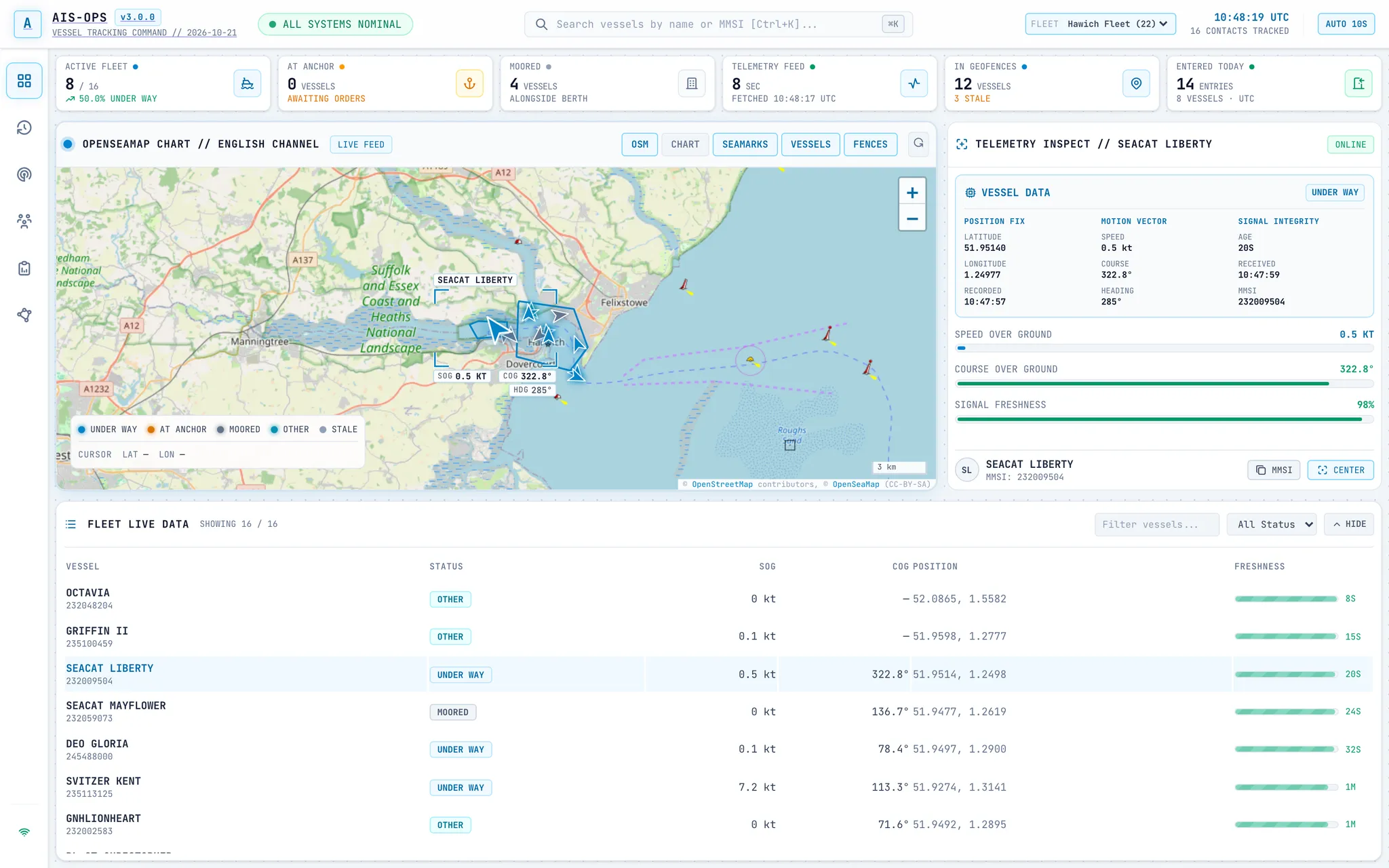
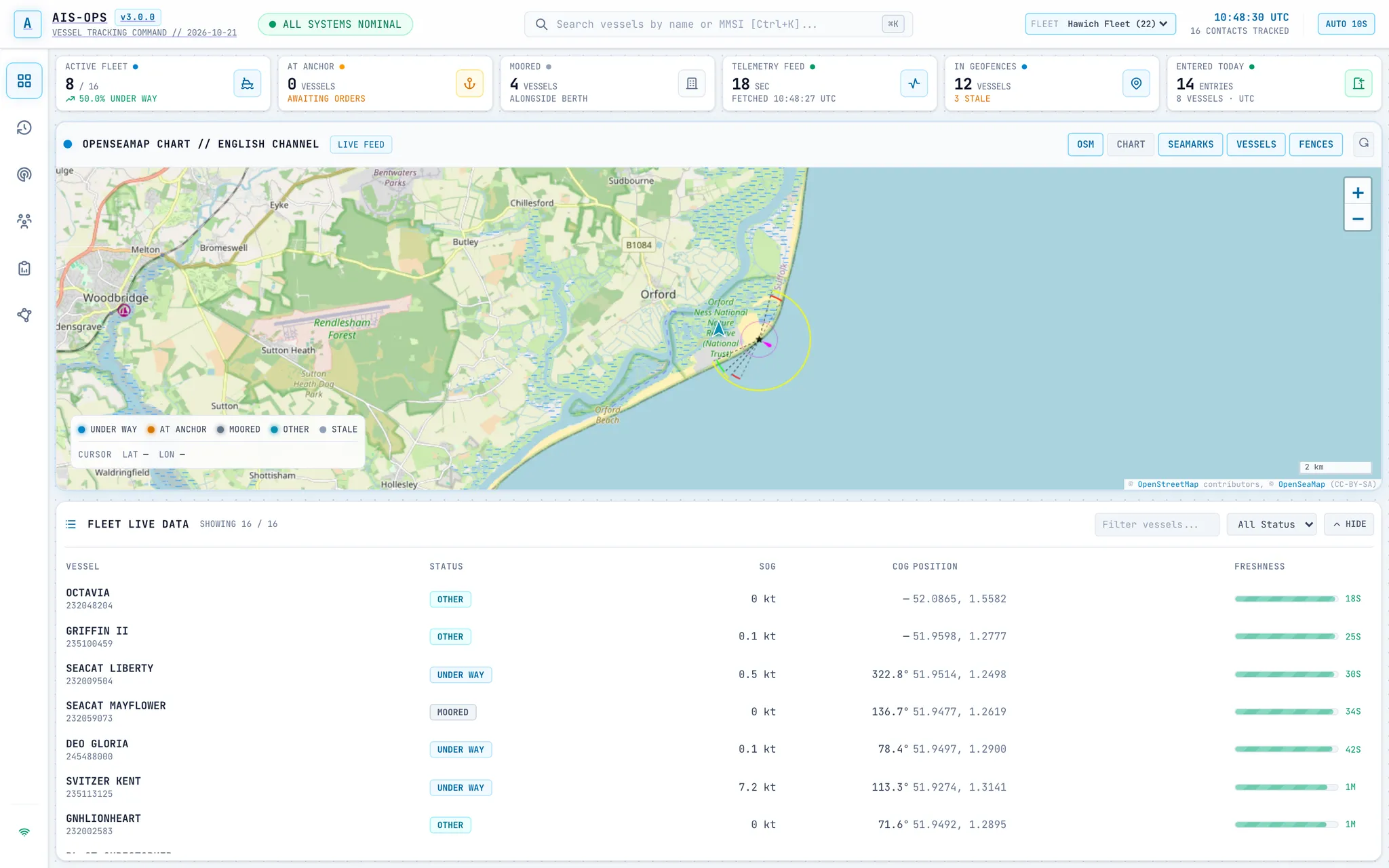
Follow every active vessel in your area in real time. Vessels are colour-coded by navigational status and oriented to their true course over detailed nautical charts. Click any target to inspect its live telemetry, or use the fleet roster below to search and filter vessels in seconds.
- LIVE NAUTICAL CHARTReal-time vessel movements over OpenSeaMap seamarks, harbour approaches, and custom geofence zones.
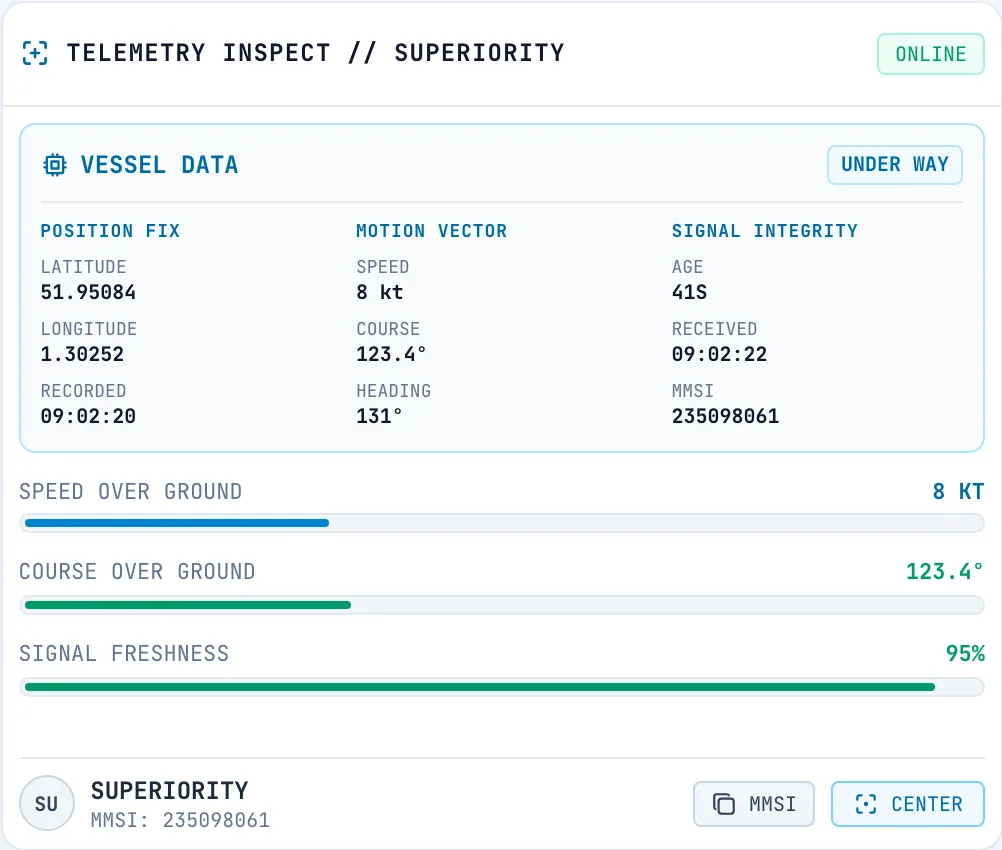
- VESSEL TELEMETRYSelect any vessel for an instant readout of position, speed over ground, course, heading, and signal status.
- SEARCHABLE ROSTERFind any vessel by name, MMSI, or status in the live table, synced directly with the chart.
- BUILT FOR THE WATCHA clean, high-contrast workspace designed for control rooms and busy operations desks.
Draw a zone, monitor occupancy.
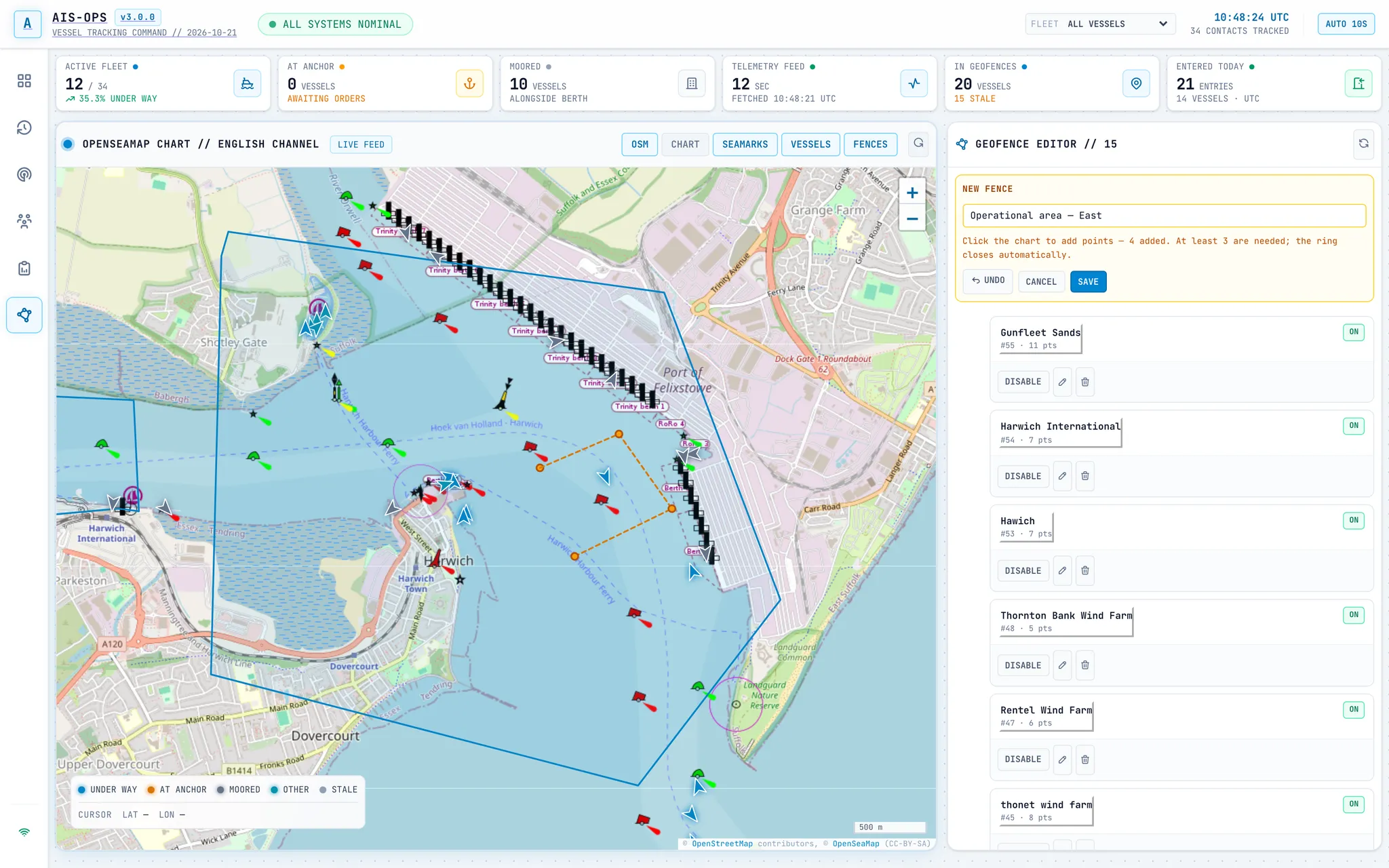
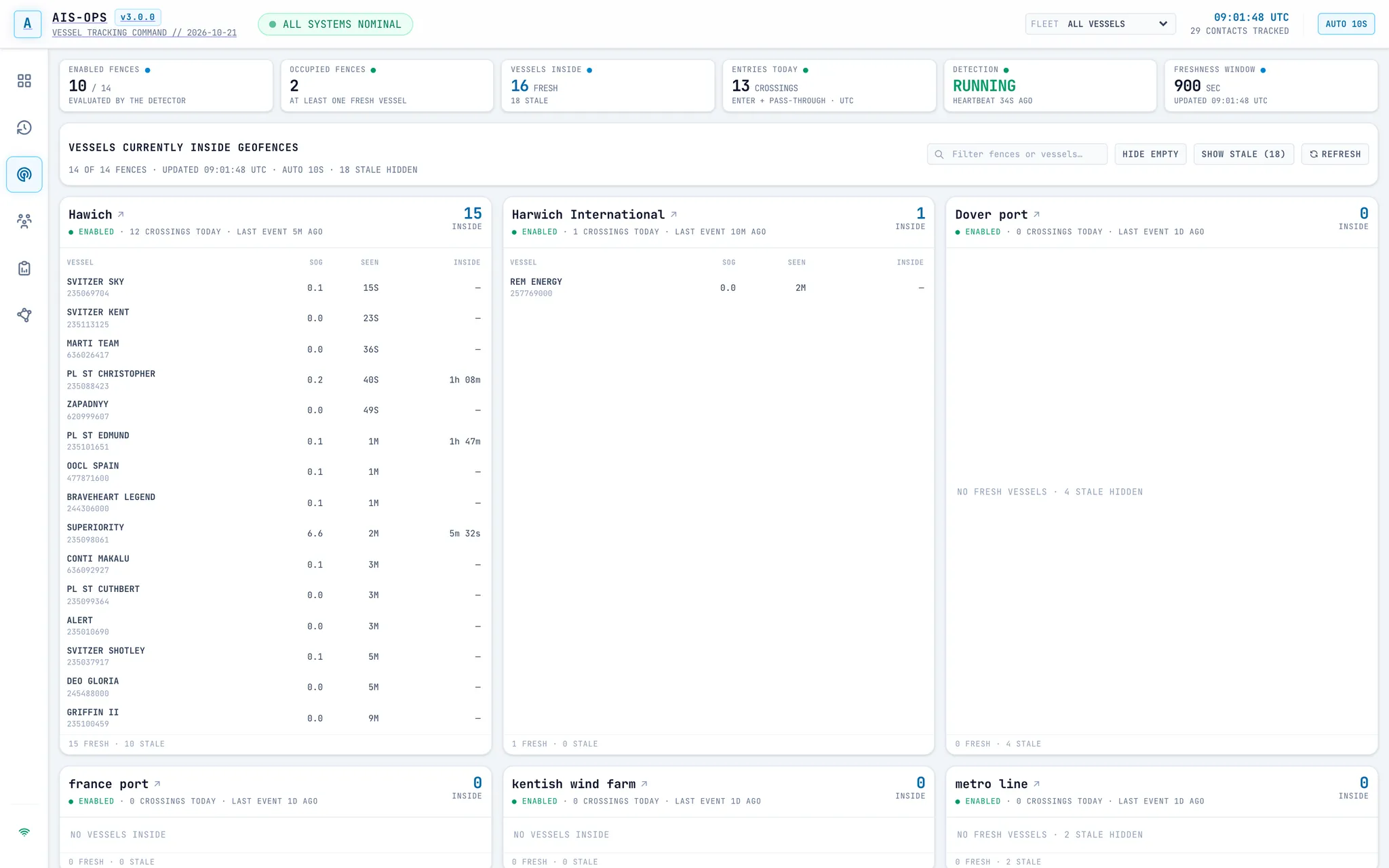
Set up custom geofences around ports, anchorages, wind farms, or restricted waters in seconds. Sketch your boundary directly on the chart to start monitoring activity straight away, with a live breakdown of every vessel currently inside each zone and how long it has been on site.
- CUSTOM ZONESSketch polygons of any shape on the chart to monitor berths, channels, anchorages, or offshore assets.
- LIVE OCCUPANCYSee at a glance which vessels are inside each active zone, their current speed, and total time on site.
- INSTANT BASELINEVessels already inside a newly created zone are recognised straight away, so your occupancy counts are accurate immediately.
- ACTIVE TRAFFIC FOCUSKeep the display focused on active, reporting vessels so old signals never clutter your watch.
Indisputable proof for every port call and transit.
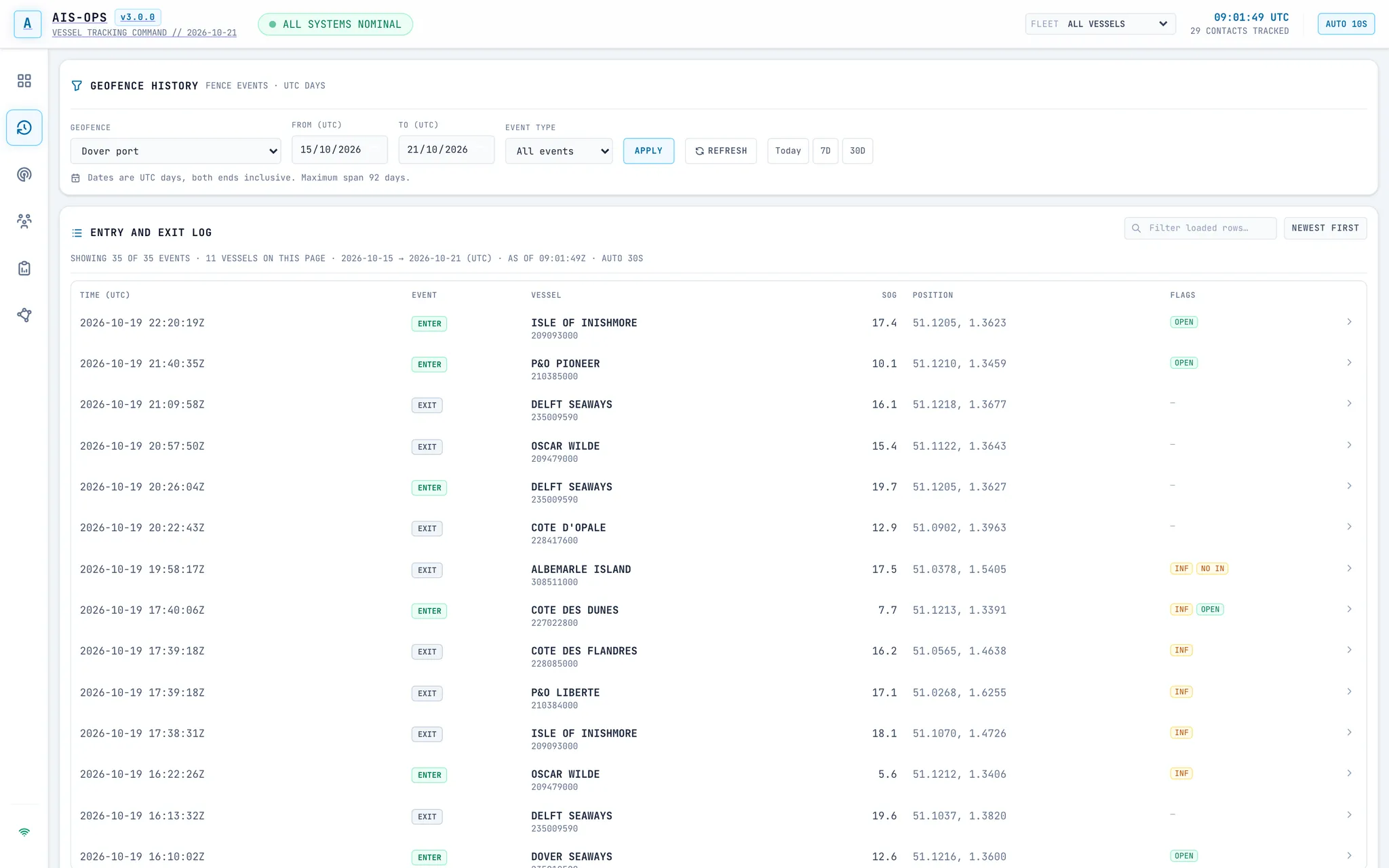
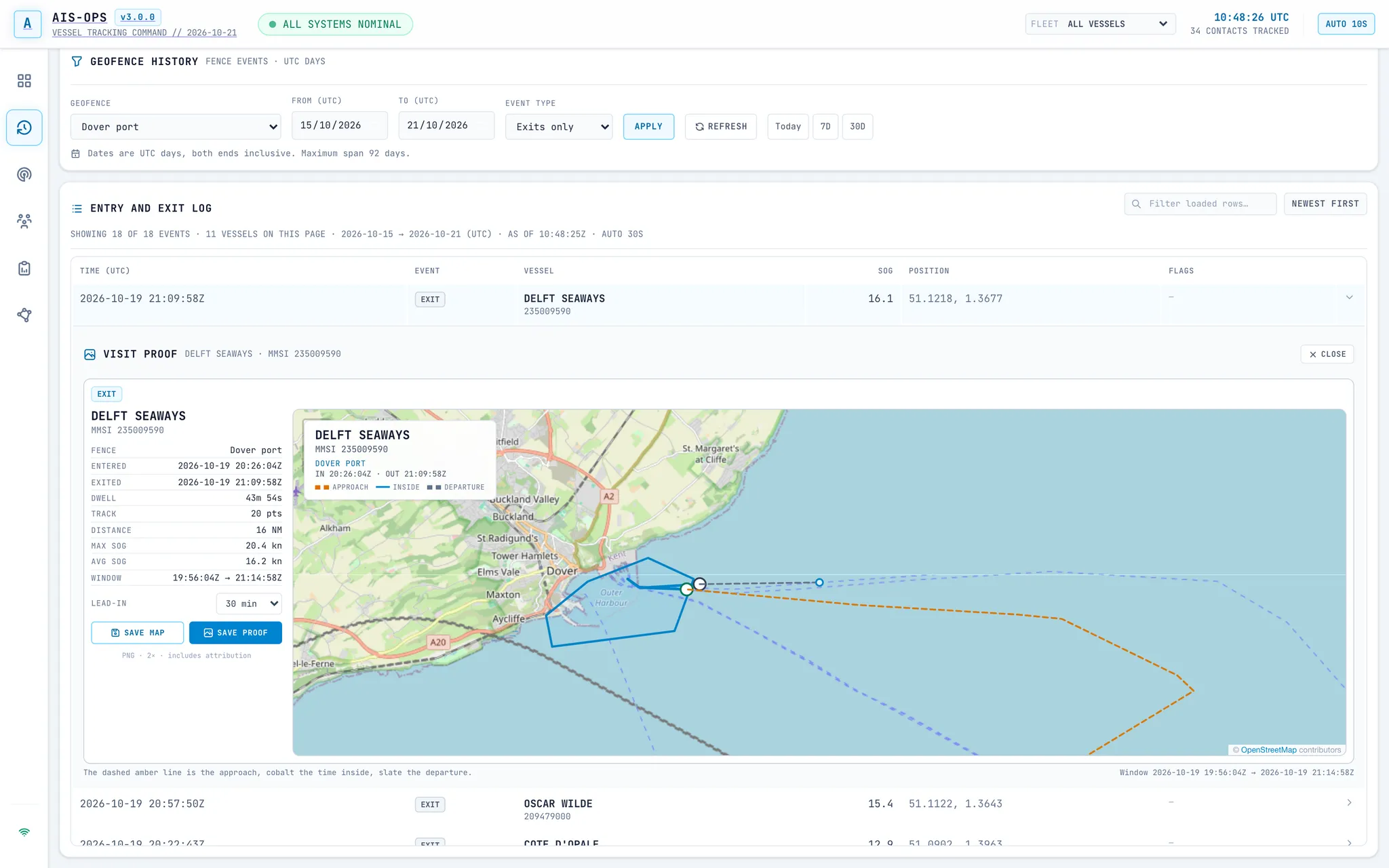
When you need to verify a charter milestone, confirm time on berth, or investigate an incursion, AIS‑OPS gives you the complete record. Search historical entries, exits, and transits across any date range, and open any event to see the vessel’s exact track from approach to departure.
- COMPLETE CROSSING LOGSearch and filter zone entries, exits, and pass-throughs by location, fleet, and date range.
- VISUAL TRACK REPLAYSee the full visit plotted on the chart, clearly distinguishing the approach, time spent inside the zone, and departure.
- EXACT TIMESTAMPSReview pinpoint entry and exit coordinates alongside total duration inside the boundary.
- SHAREABLE EVIDENCEExport high-resolution track maps and visit summaries ready to attach to client updates, audits, or incident reports.
Cut through the traffic. Focus on your fleet.
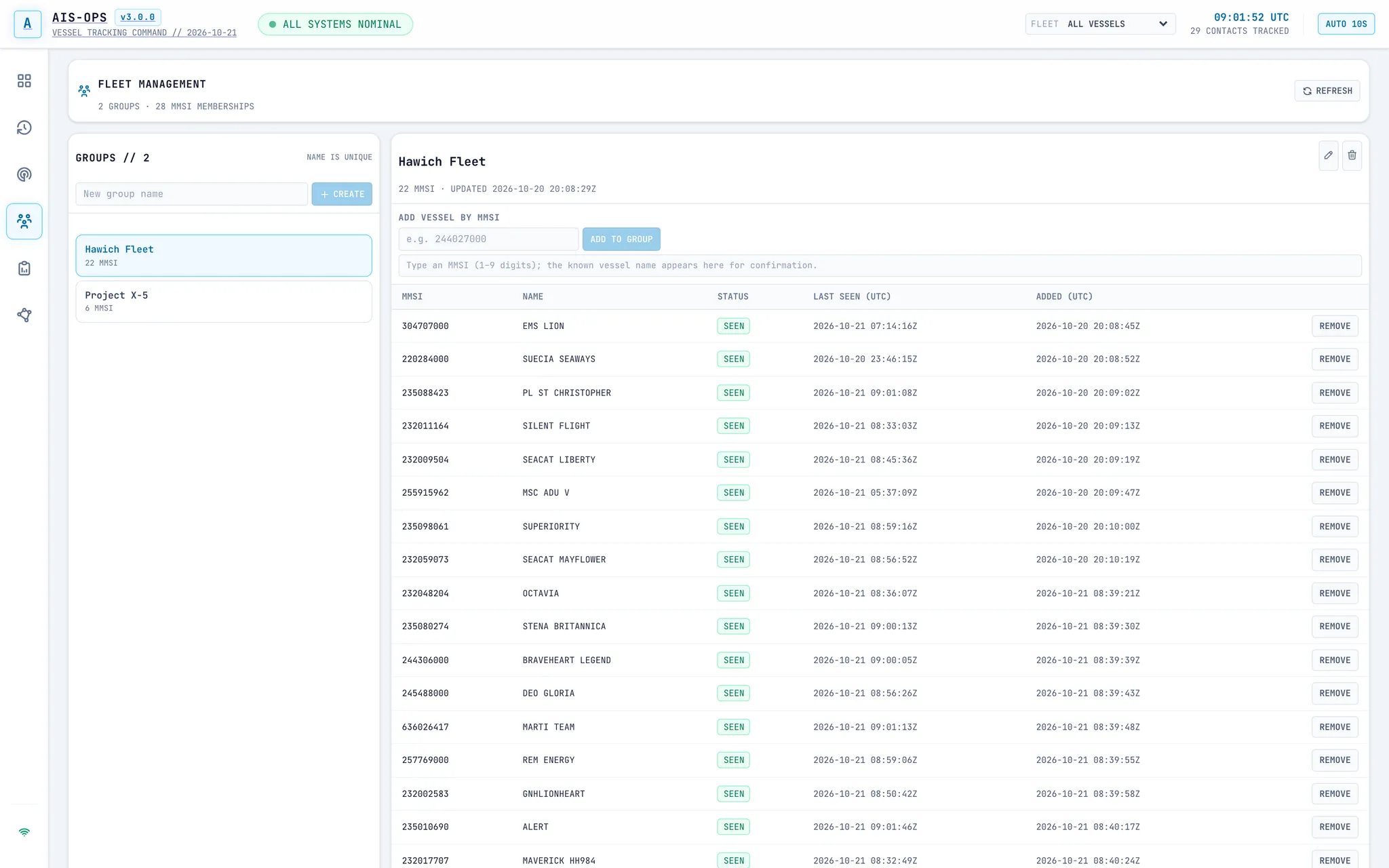
Busy shipping lanes can easily obscure the vessels you are actually responsible for. Organise your own ships, chartered vessels, or contractors into custom fleets, then filter the entire workspace down to a single fleet with one click.
- CUSTOM FLEET GROUPSCreate and manage named vessel groups for different clients, contracts, or port operations.
- ONE-CLICK FILTERINGSelect a fleet in the header to focus the live chart, occupancy view, history logs, and daily reports simultaneously.
- FAST ONBOARDINGLook up vessels by MMSI or add them straight from the live chart as they enter your area.
- CONTINUOUS LOGGINGFiltering your view never interrupts background monitoring. Every crossing across all vessels is still recorded.
Daily fleet summaries, ready for the morning briefing.
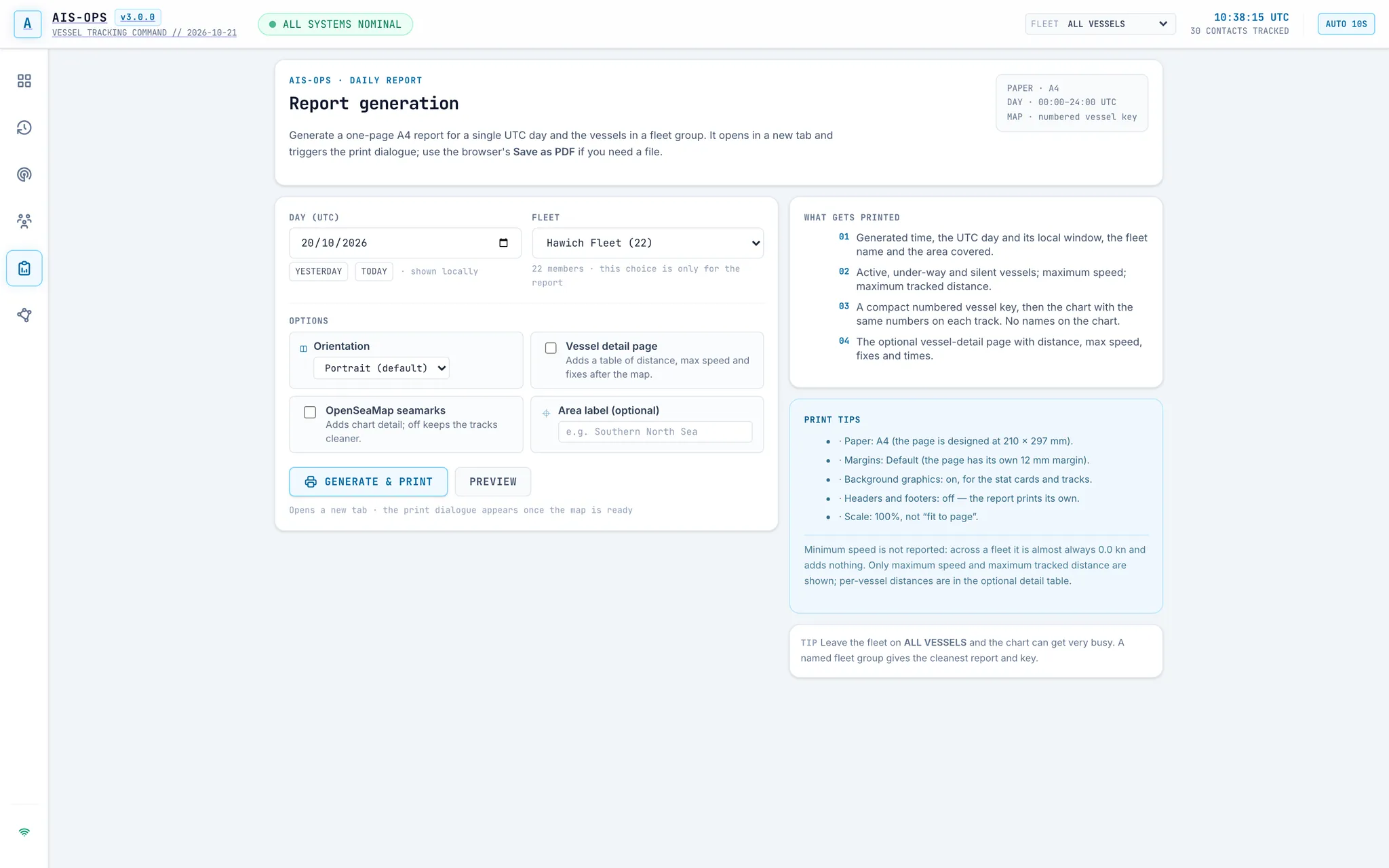
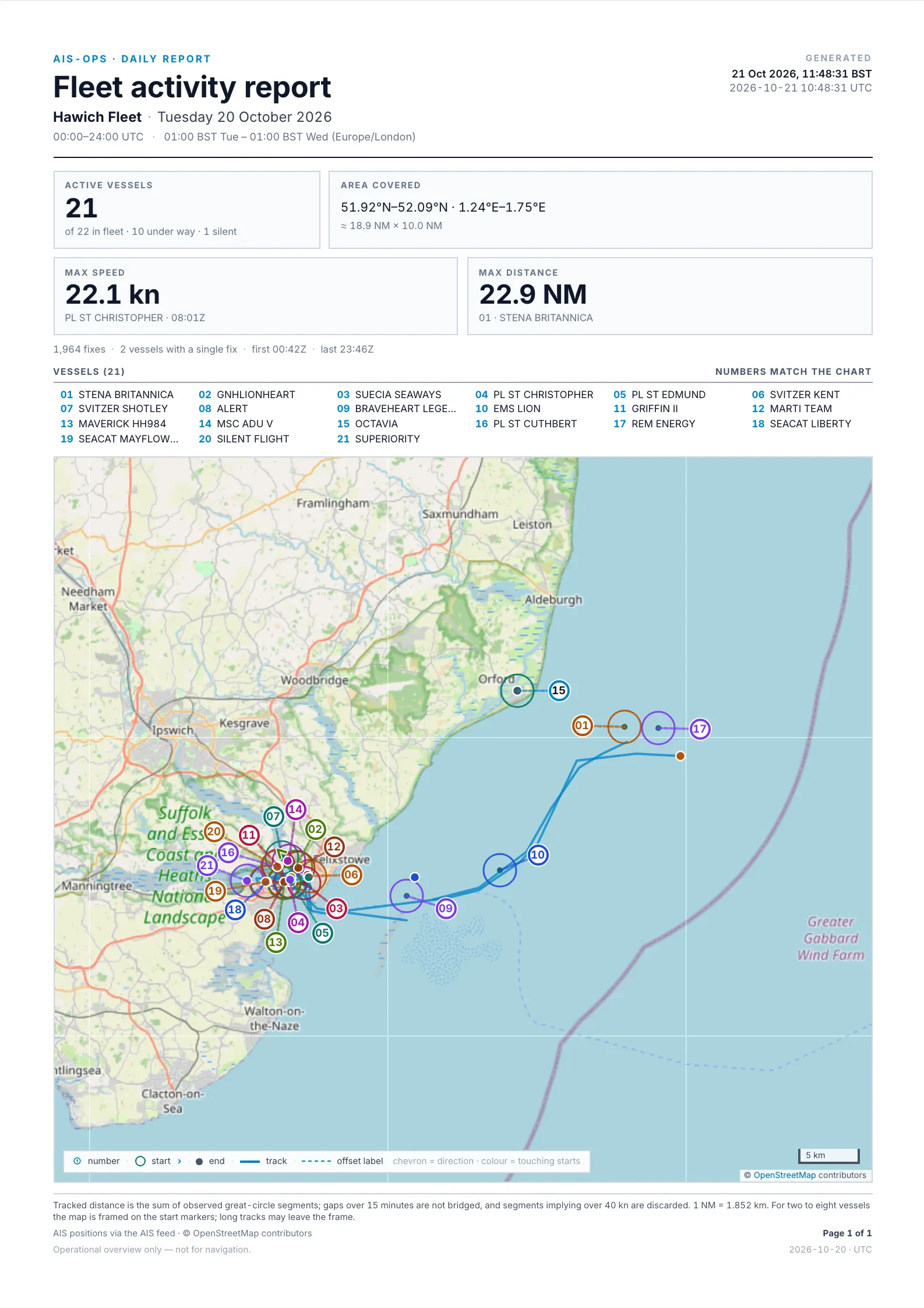
Turn a full day of vessel movements into a clean, single-page A4 report in seconds. Choose a date and a fleet to generate a print-ready summary complete with full-day tracks, headline activity figures, and an optional vessel-by-vessel breakdown.
- SINGLE-PAGE SUMMARYCombines a full day of fleet tracks, a numbered vessel key, and headline statistics onto one clean A4 page.
- VESSEL BREAKDOWNInclude an optional annex detailing distance travelled, top speed, and position counts for each active vessel.
- TAILORED LAYOUTSwitch between portrait and landscape orientations and toggle nautical seamarks to suit your operating area.
- PRINT OR PDFFormatted for crisp printing or instant PDF export for shift handovers, management briefings, and client records.
Replay the day. See exactly how it happened.
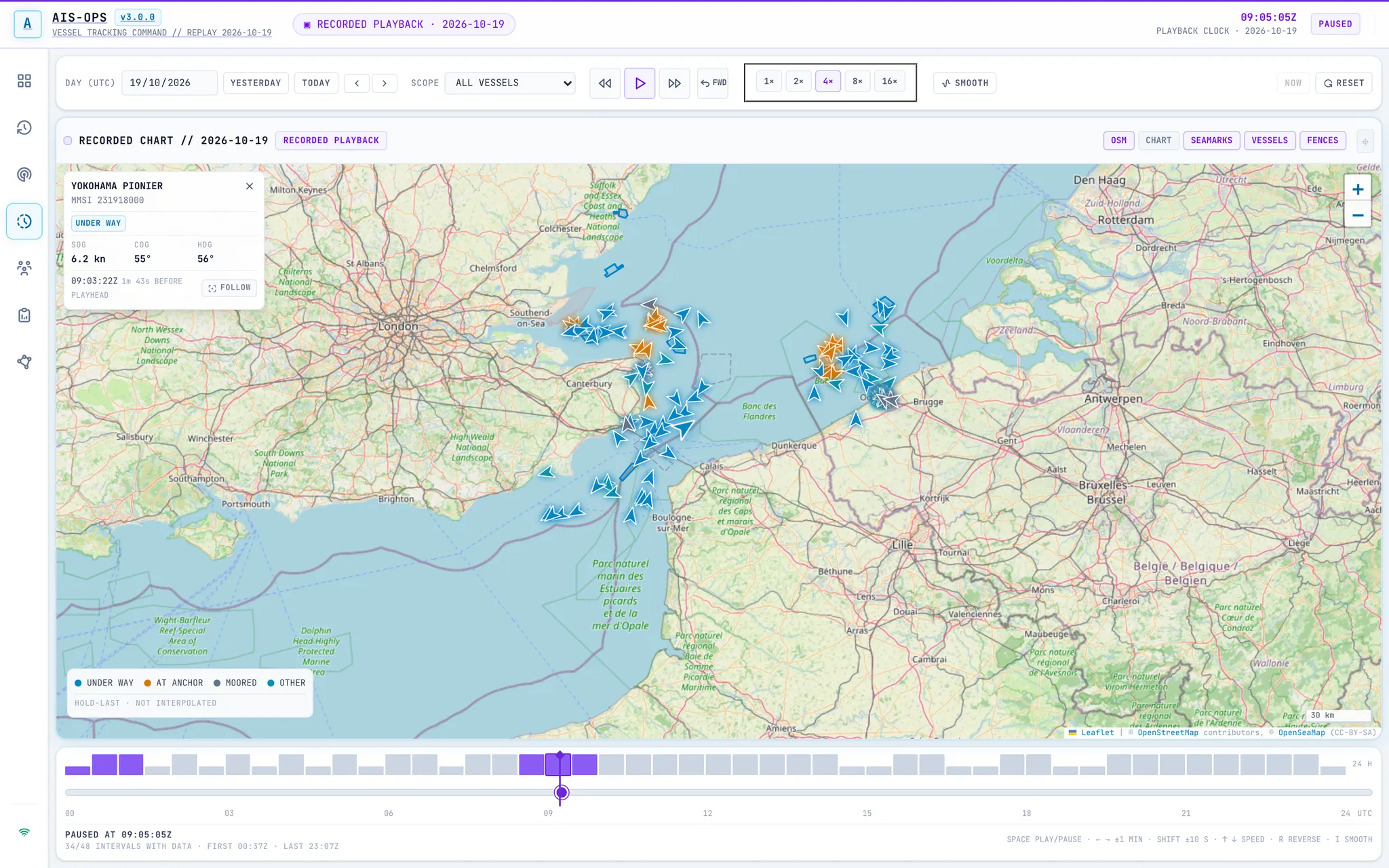
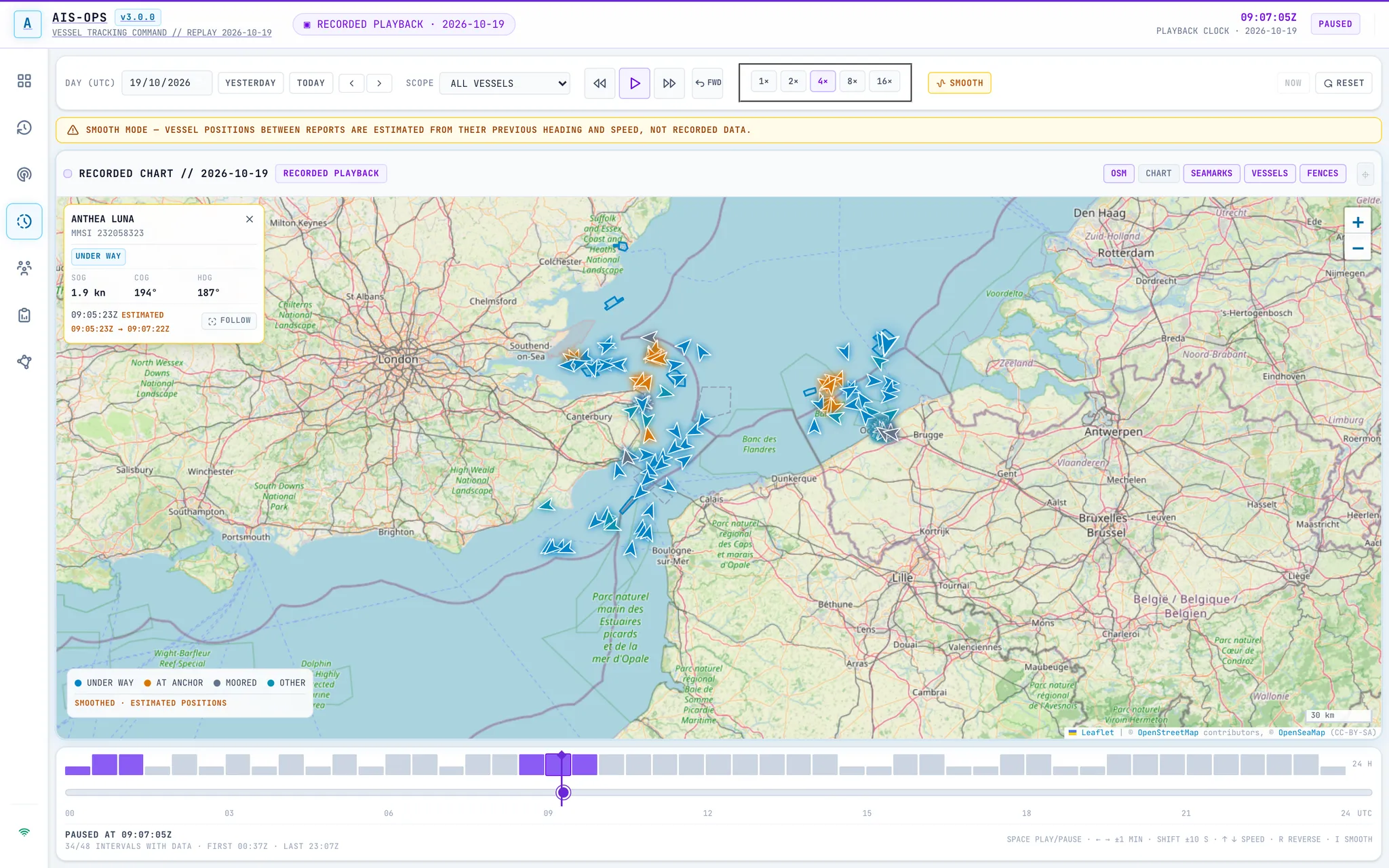
Choose a day and play vessel movements forwards or backwards across the chart, for all vessels or a single fleet. Pause on a moment, jump to a time, or run the whole day at up to 16× speed to reconstruct an incident, a port call, or a day of traffic.
- RECORDED DAY TIMELINEA full 24-hour timeline and half-hour coverage strip make busy windows and quiet gaps visible before you play.
- CONTINUOUS ACROSS DAYSKeep playback running from one UTC day into the next, forwards or in reverse, without stopping at midnight.
- FULL TRANSPORT CONTROLPlay, pause, step, scrub, reverse, and choose 1× to 16× speed to review a full day in minutes.
- SMOOTH MOTION, OPT INOptionally smooth movement between reports for easier tracking; a clear on-screen notice marks those positions as estimated, not recorded.
See AIS‑OPS in action with your own fleet.
Tell us which ports, offshore zones, or vessels you monitor. We’ll walk you through the platform using a live view tailored to your operations.